

|
Getting your Trinity Audio player ready...
|
Moving to Business Central in 2026: Migration Guide & Costs
Moving from QuickBooks, Sage, Excel or a legacy ERP? This practical guide explains how businesses can plan a move to Microsoft Dynamics 365 Business Central — including migration, benefits, licensing, implementation costs, AI and common mistakes.
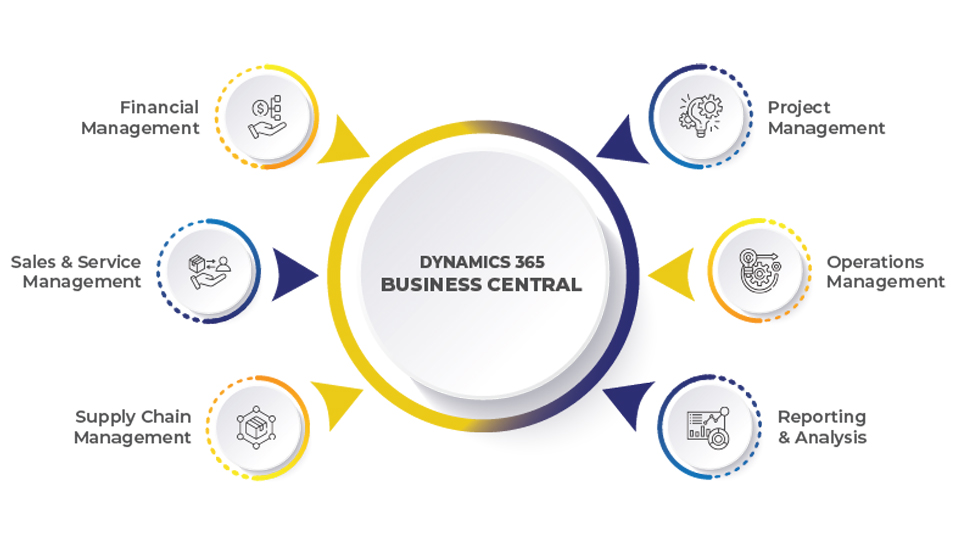 Microsoft Dynamics 365 Business Central — finance, sales, purchasing, inventory and operations in one connected ERP environment.
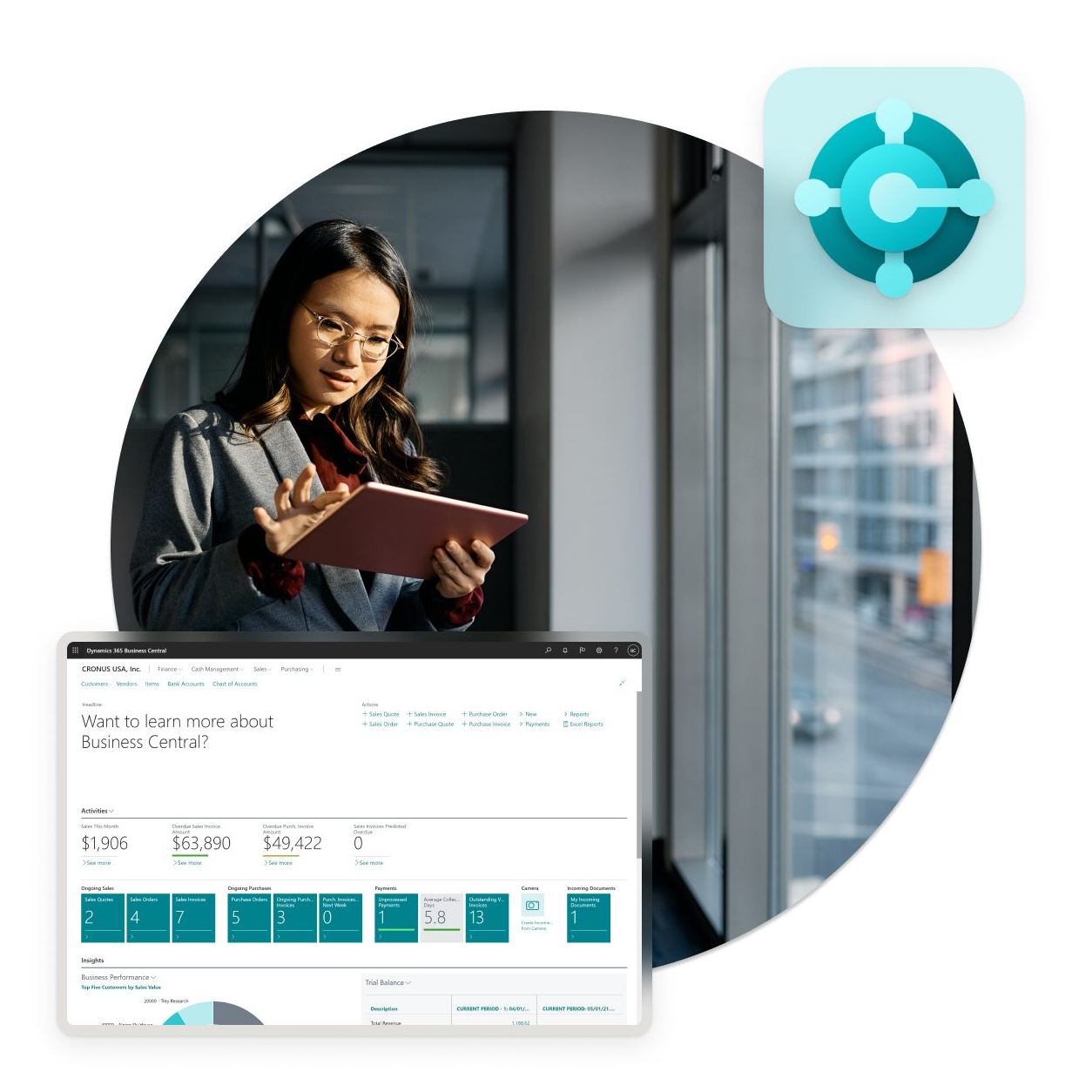
Why Are Businesses Moving to Business Central in 2026?
For many growing businesses, QuickBooks, Sage, Excel or an older ERP system was the right choice when the organization was smaller. Growth changes what a business needs from its technology.
More customers mean more transactions. More locations create more inventory and reporting requirements. More employees create more users and workflows. Expansion into new countries introduces additional financial, tax, currency and operational requirements.
Eventually, businesses begin asking: Can our current system keep up?
For many organizations, the next step is to evaluate a modern cloud ERP platform such as Microsoft Dynamics 365 Business Central. Business Central brings finance, sales, purchasing, inventory, operations, projects and other business processes together in one platform.
Is It Time to Move Away From QuickBooks, Sage or Excel?
1. Your Business Depends Too Much on Excel
Excel is extremely useful. The problem begins when critical business processes depend on manually maintained spreadsheets.
Every manual handoff creates another opportunity for duplicate data, incorrect formulas, outdated information, manual reconciliation and reporting delays.
2. Finance and Operations Are Using Different Systems
Your finance team may know what has been invoiced. Your warehouse may know what is in stock. Your sales team may know what has been ordered. Management needs to see the complete picture.
3. Reporting Takes Too Long
If management has to wait days for month-end reports or manually combine information from multiple systems, it may be a sign that the current technology environment has reached its limits.
4. Inventory Visibility Is Becoming a Problem
- Multiple warehouses
- Stock transfers
- Reordering
- Inventory valuation
- Slow-moving inventory
- Stock availability
- Purchasing decisions
5. You Are Adding More Applications to Fix Problems
Each application may solve an individual problem, but the organization eventually has to answer: How do all these systems communicate with each other?
What Is Microsoft Dynamics 365 Business Central?
Microsoft Dynamics 365 Business Central is a cloud-based ERP and business management platform designed for small and midsize organizations. It brings together finance and broader business operations in one connected environment.
Finance
General ledger, payables, receivables, cash flow, fixed assets, budgeting and financial reporting.
Sales
Customers, quotations, sales orders, invoicing, pricing and sales reporting.
Purchasing
Vendors, purchase orders, workflows, supplier invoices and procurement reporting.
Inventory
Items, stock availability, movements, warehousing and inventory valuation.
Manufacturing
Production planning, bills of materials, production orders, capacity planning and costing.
Projects
Job costing, project budgets, resources, project invoicing and profitability.
What's New About Business Central in 2026?
One of the biggest changes in the ERP conversation is AI. Business Central is moving beyond simply recording transactions and generating reports, with Microsoft continuing to expand Copilot and agentic capabilities.
Business Central Copilot
Copilot can assist with tasks such as finding business information, analyzing data, summarizing information, generating suggestions and supporting repetitive work. Feature availability depends on the applicable release, country, language and licensing.
Autonomous Agents
Microsoft is also introducing agentic capabilities for Business Central. The direction is toward selected processes being assisted or automated while people retain review and control.
Benefits of Moving to Microsoft Dynamics 365 Business Central
One Connected Business Platform
Connect finance, inventory and operational processes rather than maintaining disconnected systems.
Better Financial Visibility
Work with connected financial and operational information rather than manually combining multiple sources.
Improved Inventory Management
Gain visibility into inventory, purchasing, stock movements and warehouse operations.
More Efficient Procurement
Manage purchasing alongside finance and inventory in the same ERP environment.
Better Management Reporting
Use Business Central reporting and extend analytics with Power BI.
Microsoft 365 Integration
Work with Business Central data through Microsoft applications depending on configuration and licensing.
Workflow Automation
Use Business Central workflows and Power Automate to automate selected business processes.
AI-Assisted Productivity
Copilot and newer agent capabilities can assist with repetitive work and analysis.
Moving From QuickBooks to Business Central
QuickBooks can be an effective financial solution for smaller organizations. As businesses grow, they may need broader ERP capabilities. Microsoft provides migration functionality for moving supported QuickBooks data into Business Central.
A proper migration should consider the chart of accounts, opening balances, customers, vendors, items, tax information, historical transactions, dimensions, locations, users, integrations and reporting.
Moving From Sage to Business Central
Sage environments can contain years of financial and operational information. Before migration, businesses should decide what should move and what should be archived, rebuilt or reconfigured.
This approach can help avoid bringing unnecessary complexity into the new Business Central environment.
Moving From Excel to Business Central
Excel is often where ERP migration begins. Businesses may have separate spreadsheets for customers, vendors, inventory, purchasing, sales, budgets, projects, fixed assets and reporting.
The goal should not be to move every spreadsheet into Business Central. The better question is:
- Inventory spreadsheet → Business Central inventory
- Purchase tracking spreadsheet → Business Central purchasing
- Manual financial reporting → Business Central financial reporting + Power BI
- Manual approval process → Business Central workflows / Power Automate
Moving From Microsoft Dynamics NAV to Business Central
For organizations already using Dynamics NAV, the move to Business Central can provide a path toward a modern cloud ERP environment. NAV migration should begin with an assessment of the NAV version, customizations, extensions, integrations, data, reports, workflows and third-party applications.
What Data Should You Migrate to Business Central?
One of the biggest mistakes in ERP migration is assuming: “We should migrate everything.” A better migration strategy separates information into categories.
| Data category | Typical examples |
|---|---|
| Master data | Customers, vendors, items, chart of accounts, banks, resources, locations |
| Opening data | Opening balances, inventory quantities, receivables, payables, bank balances |
| Historical data | Reporting, audit, legal, management and retention requirements |
| Configuration data | Posting groups, dimensions, workflows, number series, payment terms, tax configuration |
Business Central Migration: A Step-by-Step Approach
Assess
Document current systems, processes and data.
Define
Determine what Business Central needs to accomplish.
Clean
Remove duplicates, obsolete records and inconsistent information.
Map
Map existing fields and processes to Business Central.
Configure
Set up Business Central based on the approved design.
Migrate
Move the agreed data into the new environment.
Test
Validate data, processes, integrations and reports.
Train
Prepare users before go-live.
Go Live
Move the organization into the new environment.
Optimize
Monitor adoption, processes and performance after implementation.
How Much Does Business Central Cost?
There are two separate costs to consider: Microsoft licensing and implementation services. They are not the same thing.
Microsoft offers Business Central licensing options including Essentials, Premium and Team Members. Pricing can vary by country, billing arrangement and commercial terms, so businesses should verify current pricing for their market.
| License type | Typical purpose |
|---|---|
| Essentials | Broad finance, sales and operations capabilities |
| Premium | Essentials plus enhanced manufacturing and service management functionality |
| Team Members | Limited access for users who read data, approve workflows and perform selected tasks |
For a detailed 2026 licensing discussion, see Microsoft Dynamics 365 Business Central Pricing & Licensing in 2026.
Start Your Business Central Journey With a Fixed-Scope ERP Package
Microsoft Dynamics 365 Business Central — get ERP consulting, implementation, migration, integration and support with a structured starting point for your ERP project.
Additional users, complex migration, customization, integrations or requirements outside the defined scope may require additional services.
Business Central for Global and Growing Organizations
Business Central can support organizations operating across different markets, locations and business models. It can be relevant for businesses in Africa, the Middle East, North America and international organizations expanding into new markets.
Business Central for Different Industries
Manufacturing
Manage production, inventory, purchasing, costing and finance.
Explore Manufacturing ERP →Wholesale & Distribution
Connect purchasing, inventory, warehousing, sales and finance.
Explore Distribution ERP →Retail & Commerce
Manage sales, inventory, purchasing and financial processes.
Explore Business Central →Construction & Engineering
Track projects, costs, procurement, budgets and financial information.
Explore ERP Solutions →NGOs & Nonprofits
Support financial management, grants, procurement and project reporting.
Explore Nonprofit ERP →SACCOs & Microfinance
Improve financial and operational management with connected business applications.
Explore SACCO & Microfinance ERP →Business Central + Power BI
ERP data becomes more valuable when management can understand it. Business Central can work with Power BI for dashboards and visual analysis around revenue, expenses, inventory, sales, purchasing, customer performance, product performance, cash flow and operational KPIs.
Business Central + Microsoft 365
For organizations already using Microsoft 365, Business Central can fit into the broader Microsoft environment. Depending on configuration and licensing, users can work with Business Central data through applications including Excel, Outlook, Teams and Word.
Business Central + AI: What Should Businesses Plan For?
AI should not be treated as a marketing checkbox. The more important question is: Where can AI safely remove repetitive work from our business processes?
For an ERP project, the practical implication is to design a system where automation and AI can be added where they make business sense, rather than designing only around today's manual processes.
7 Common Business Central Migration Mistakes
- Migrating too much data. More data does not automatically mean a better ERP.
- Copying old processes into the new ERP. Use the project as an opportunity to improve workflows.
- Ignoring data quality. Duplicate customers, inconsistent item codes and incorrect financial data can create problems after migration.
- Underestimating integrations. Identify banking, tax, CRM, payroll, e-commerce and other dependencies early.
- Choosing licenses without reviewing user roles. Different users may require different access levels.
- Treating training as an afterthought. A technically successful ERP can still struggle if employees are not prepared.
- Focusing only on go-live. Post-go-live support, optimization and adoption are part of the ERP journey.
How to Know If Business Central Is Right for Your Business
Business Central may be worth evaluating if your organization is experiencing several of these challenges:
Business Central Migration Checklist
Current System
System, users, companies and locations.
Business Processes
Finance, sales, purchasing, inventory, warehouse, manufacturing and projects.
Data
Customers, vendors, items, chart of accounts, opening balances and historical data.
Integrations
Banking, payments, tax/e-invoicing, CRM, payroll, e-commerce, Power BI and Microsoft 365.
Users
Finance, sales, procurement, warehouse, operations and management roles.
Future Requirements
Automation, AI, new locations, new countries, business units and reporting.
Final Thoughts: Don't Just Replace Your ERP — Modernize Your Business
Moving from QuickBooks, Sage, Excel or a legacy ERP to Microsoft Dynamics 365 Business Central should not be treated as simply replacing one piece of software with another.
It is an opportunity to rethink how your business manages finance, sales, purchasing, inventory, operations, projects, reporting, automation, data and AI.
The strongest migration projects begin with the business process, not the software screen. Start by understanding where your current system creates limitations, what information needs to move, what processes should change and what your organization needs over the next three to five years.
Ready to Move to Microsoft Dynamics 365 Business Central?
Whether you are moving from QuickBooks, Sage, Excel, Dynamics NAV or another legacy ERP, Brightpoint Infotech can help you assess your current environment and plan the next step.
Frequently Asked Questions
Can I migrate from QuickBooks to Business Central?
Yes. Business Central supports QuickBooks migration scenarios for supported business data such as customers, vendors, inventory items and general ledger accounts. The exact migration approach should be assessed for the source data and business requirements.
Can I migrate from Excel to Business Central?
Yes. Business Central supports importing business data from Excel and other supported formats depending on the data and migration scenario.
Can I migrate from Sage to Business Central?
A Sage-to-Business-Central migration should be assessed based on the Sage product, data structure, integrations and business requirements. The approach may involve supported imports, transformation and partner-led migration activities.
Can I migrate from Microsoft Dynamics NAV?
Yes. Microsoft supports migration scenarios from Dynamics NAV to Business Central online, subject to version, customization and other technical considerations.
How much does Business Central cost?
Business Central licensing is separate from implementation costs. Microsoft offers Essentials, Premium and Team Member licensing, with pricing varying by market. Review the current commercial terms for your country before budgeting.
What is included in the $5,000 ERP Starter Package?
Brightpoint Infotech's starter package includes a defined implementation scope, clear deliverables, faster ERP setup, one license, guided configuration and go-live assistance. Additional requirements outside the defined scope may require additional services.
Is Business Central suitable for small and midsized businesses?
Business Central is designed for small and midsize organizations and can support finance and broader business operations as requirements grow.
Does Business Central include AI?
Microsoft continues to expand Copilot and autonomous-agent capabilities in Business Central. Feature availability can vary by country, language, licensing and release status.
Can Business Central integrate with Power BI?
Yes. Business Central can be used with Power BI for business intelligence and reporting.
Can Business Central integrate with Microsoft 365?
Yes. Business Central integrates with Microsoft 365 capabilities, including working with data through applications such as Excel, Outlook and Teams, subject to configuration and licensing.
How long does a Business Central migration take?
There is no single timeline. It depends on users, companies, data volume, integrations, customizations, business processes and testing requirements. A proper assessment should be completed before committing to a timeline.
Information in this article is intended as general ERP guidance. Microsoft licensing, features, country availability and commercial terms can change; confirm current details for your market before making a purchasing or implementation decision.