
|
Getting your Trinity Audio player ready...
|
Business Central vs. Finance & Supply Chain Management: Which ERP Is Right for Manufacturers in 2026?

Introduction
For growing manufacturers, choosing the right enterprise resource planning (ERP) system is an important business decision. The right solution can help connect finance, purchasing, inventory, production, and reporting processes, giving teams better information to make operational decisions.
Microsoft Dynamics 365 offers several ERP applications designed for different business requirements. Two options manufacturers frequently evaluate are Dynamics 365 Business Central and Dynamics 365 Finance with Supply Chain Management.
Although these solutions share the goal of connecting business operations, they differ in their capabilities, implementation considerations, and suitability for different types of manufacturing organizations.
Business Central is often a strong option for small and midsized manufacturers that need integrated financial management, inventory, and core manufacturing functionality. Dynamics 365 Finance and Supply Chain Management may be more appropriate for businesses with complex financial structures, advanced manufacturing processes, or extensive supply-chain requirements.
However, the best choice depends on more than company size. Manufacturing methods, operational complexity, number of facilities, reporting requirements, integrations, and future growth all influence which ERP system makes sense.
In this guide, we compare the two solutions, explore manufacturing use cases, discuss licensing and implementation considerations, and explain how manufacturers can evaluate their options in 2026.
Why Are Manufacturers Reconsidering Their ERP Systems in 2026?
Manufacturing operations involve multiple connected activities. Businesses must coordinate raw materials, suppliers, production schedules, employees, equipment, inventory, customer orders, shipping, and financial reporting.
When these activities are managed in separate systems, information becomes difficult to maintain consistently. A purchasing team may have different inventory information from the production team, while finance may need to spend additional time reconciling transactions and investigating unexpected costs.
ERP modernization can help manufacturers address these challenges by connecting relevant business processes within a shared system.
1. Disconnected systems create operational inefficiencies
Many manufacturers have grown their technology environment over time. They may use one application for accounting, another for inventory, spreadsheets for production planning, and separate tools for customer orders and reporting.
Although each application may perform a specific task, managing information across disconnected systems can create unnecessary work.
Common problems include:
- Re-entering the same information into multiple systems.
- Difficulty tracking inventory availability and production status.
- Delays in preparing financial and operational reports.
- Limited visibility into material costs and production performance.
- Errors caused by inconsistent or outdated information.
- Challenges connecting sales orders with purchasing and production activities.
An integrated ERP system can reduce some of these problems by establishing consistent records and connecting business transactions. The actual improvement depends on data quality, system configuration, process design, and employee adoption.
2. Inventory management directly affects profitability
Inventory is a major operational concern for manufacturers. Holding too much stock can increase storage costs and tie up working capital, while insufficient inventory can interrupt production and delay customer orders.
Manufacturers need to understand what is available, what has been allocated to production, what is on order, and what materials will be required in the future.
ERP capabilities can help coordinate item records, purchasing, inventory transactions, replenishment, and production requirements. Businesses with more complex warehouses, distribution networks, or planning needs may require additional capabilities.
3. Production planning becomes more difficult as businesses grow
A small manufacturing operation may be able to coordinate production using spreadsheets and manual schedules. As the number of products, orders, machines, and production locations increases, the same approach can become harder to maintain.
Production planners need information about material availability, resource capacity, order priorities, and expected completion dates.
A manufacturing ERP should be evaluated on how well it supports the company's actual production model—not simply whether the product has a feature labelled production planning.
4. Manufacturers need better control over costs
Material prices, labor, overhead, energy, freight, and supplier lead times can all affect manufacturing margins.
Without reliable operational and financial information, it may be difficult to understand the cost of producing an item, identify recurring inefficiencies, or determine why actual costs differ from expectations.
An ERP implementation should define how production costs, inventory valuation, purchasing information, and financial reporting will work together.
5. Digital transformation now includes AI and automation
In 2026, manufacturers are also evaluating AI, analytics, and workflow automation as part of their technology strategies.
Potential applications include helping employees access business information, supporting analysis, reducing selected repetitive tasks, and improving visibility into operational data.
However, AI should be connected to a clearly defined business need. It is not a substitute for accurate data, well-designed workflows, appropriate access controls, or a reliable ERP foundation.
What Is Microsoft Dynamics 365 Business Central?
Microsoft Dynamics 365 Business Central is an integrated business management and ERP solution designed primarily for small and midsized organizations. It connects financial management with purchasing, sales, inventory, projects, service-related processes, and manufacturing functionality.
For manufacturers, Business Central can provide a central system for managing business transactions and operational information. It is particularly worth evaluating when a business wants to move beyond disconnected accounting systems, spreadsheets, or an older ERP platform.
You can explore Brightpoint Infotech's Microsoft Dynamics 365 Business Central services for more information about the solution.
Key Business Central capabilities for manufacturers
Production orders and manufacturing management
Business Central supports production orders that help manufacturers organize and track production activities. The system can connect production information with materials, inventory, and related financial transactions.
The suitability of these features depends on how the manufacturer operates and how the system is configured.
Bills of materials and routings
Bills of materials define the components and materials needed to produce a finished item. Routings represent production steps and the sequence of operations.
These capabilities can help manufacturers organize production requirements and understand how materials and operations relate to finished products.
Inventory and purchasing
Business Central supports inventory management, purchasing transactions, item records, and replenishment processes. This can help teams coordinate purchasing and production requirements and maintain more consistent inventory information.
Financial management
Business Central integrates operational transactions with financial management. Finance teams can work with accounting information and relevant business transactions in the same environment, reducing dependence on disconnected records.
Reporting and business visibility
Manufacturers can use available reporting capabilities and connected tools to review financial and operational information. The quality of reporting depends on accurate data, appropriate configuration, and the metrics selected by the business.
When should a manufacturer consider Business Central?
Business Central may be worth evaluating when:
- The company needs to connect accounting, inventory, purchasing, and production.
- Existing spreadsheets or legacy systems are creating operational challenges.
- Manufacturing requirements fit the available capabilities with suitable configuration and extensions.
- The business wants to improve financial visibility and transaction consistency.
- The organization wants an ERP system that can evolve with its needs.
For example, a midsized manufacturer producing components for industrial equipment may need better coordination between sales orders, raw materials, production orders, inventory, and accounting. Business Central may provide a suitable foundation if its manufacturing and planning capabilities meet the company's requirements.
However, if the business has highly complex production scheduling, advanced warehouse requirements, extensive multi-site planning, or other enterprise-level needs, it should compare Business Central with broader Dynamics 365 capabilities before making a decision.
The important point: Business Central is not only an accounting solution, and it should not automatically be ruled out for manufacturing. Its suitability depends on the processes the business needs to manage.
What Are Dynamics 365 Finance and Supply Chain Management?
Microsoft Dynamics 365 Finance and Dynamics 365 Supply Chain Management are separate applications that can be implemented together to support broader financial and operational requirements.
They are often evaluated by businesses that need more extensive financial controls, advanced manufacturing capabilities, complex planning processes, or broader supply-chain operations.
These applications are not simply a larger edition of Business Central. They have different capabilities, configuration options, implementation requirements, and licensing considerations.
Dynamics 365 Finance
Dynamics 365 Finance supports financial management requirements that may include:
- General ledger and financial accounting.
- Accounts payable and accounts receivable.
- Budgeting and financial planning processes.
- Financial reporting and analysis.
- Cash and bank management.
- Financial controls and approval processes.
- Multi-entity financial operations, where configured and applicable.
Manufacturers with complex financial structures or demanding reporting requirements may benefit from evaluating Dynamics 365 Finance as part of their ERP strategy.
For example, a company operating through multiple legal entities may need consistent financial processes, reporting structures, and controls across the organization. The appropriate solution depends on the specific reporting, consolidation, and transaction requirements.
Dynamics 365 Supply Chain Management
Dynamics 365 Supply Chain Management supports a broader set of supply-chain and operational processes. Depending on the selected capabilities and configuration, these can include:
- Production planning and manufacturing management.
- Procurement and supplier-related processes.
- Inventory and warehouse management.
- Demand and supply planning.
- Distribution and logistics operations.
- Material availability and replenishment.
- Coordination of supply-chain activities across locations.
Manufacturers with complex production environments or extensive supply-chain requirements should investigate these capabilities against their operational needs.
Learn more about Dynamics 365 Supply Chain Management through Brightpoint Infotech.
When should manufacturers evaluate Finance and Supply Chain Management?
This approach may be worth considering when:
- Production processes require broader manufacturing capabilities.
- The organization has complex warehouse, distribution, or planning requirements.
- Several facilities need to coordinate production, inventory, and purchasing.
- Financial processes involve multiple entities or extensive controls.
- The business needs to evaluate more complex enterprise workflows.
- Current systems cannot support important operational requirements without significant limitations.
For example, a manufacturer operating several production facilities with different workflows, complex material requirements, and a broad distribution network may need to evaluate more extensive planning and supply-chain capabilities.
That does not mean every manufacturer with multiple locations needs this solution. The team should identify the specific requirements and validate them against the capabilities, cost, and implementation effort of each option.
Business Central vs. Finance & Supply Chain Management: Detailed Comparison
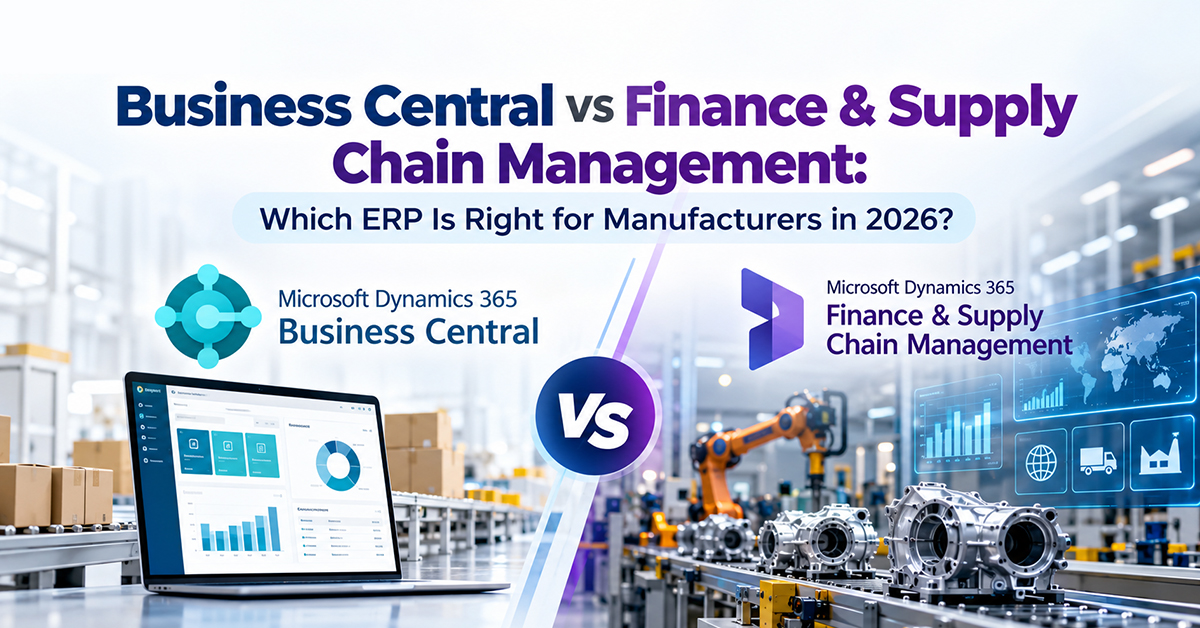
The following comparison can help manufacturers identify which solution to investigate first. It is a general decision guide rather than a guarantee that a particular feature will meet every requirement.
| Business requirement | Business Central | Finance + Supply Chain Management |
|---|---|---|
| Typical business fit | Integrated core operations for small and midsized organizations | Broader financial and operational requirements |
| Financial management | Core accounting and financial reporting | Extensive financial management capabilities |
| Manufacturing | Production orders, bills of materials, routings, and core manufacturing functionality | Broader manufacturing capabilities for more complex scenarios |
| Inventory | Inventory records, transactions, purchasing, and replenishment | Broader supply-chain and inventory-management scenarios |
| Planning | Core production and supply-planning capabilities | More extensive planning capabilities where required |
| Warehousing | Core inventory and warehouse processes based on configuration | Broader warehouse-management capabilities |
| Business complexity | Often suitable for more streamlined business processes | Worth evaluating for complex operational requirements |
| Customization | Extensions and integrations can address additional needs | Configuration, extensions, and integrations depend on architecture |
| Implementation | Depends on migration, configuration, integrations, and manufacturing requirements | May involve broader process design, data, testing, and change management |
| Investment | Licenses, implementation, extensions, training, and support | Application licenses, implementation, integrations, training, and support |
Which ERP is easier to implement?
There is no universal answer. Implementation effort depends on the existing systems, number of business processes, quality of data, level of customization, integrations, reporting requirements, and availability of internal resources.
A Business Central project may have a more focused scope when the company's processes align with the standard product capabilities. A more extensive Finance and Supply Chain Management project may require broader process design and coordination.
However, a poorly scoped Business Central project can still be difficult, and a well-planned enterprise implementation can be manageable. The product name alone does not determine the project's success.
Which ERP costs less?
The total investment should include more than software licensing.
Manufacturers should evaluate:
- User and application licensing.
- Implementation and configuration.
- Data cleansing and migration.
- Integrations and additional applications.
- Customization and extensions.
- Training and change management.
- Support and ongoing improvements.
Business Central may offer a more suitable investment for a company whose requirements fit its capabilities. Finance and Supply Chain Management may justify its broader scope where complex requirements make those capabilities valuable.
A fair comparison should assess total cost of ownership over an agreed period, not just the initial license price.
Which ERP Is Right for Different Types of Manufacturers?
The right ERP often depends more on the manufacturing model than on revenue or employee count. Two businesses of similar size can have very different operational needs.
1. Discrete manufacturing
Discrete manufacturers produce identifiable items assembled from components, such as machinery, equipment, industrial parts, and finished products.
Common requirements include bills of materials, production orders, routings, inventory control, purchasing, and production costing.
Business Central may be suitable when these requirements fit its manufacturing capabilities. Businesses with more advanced production planning, complex scheduling, or extensive operational requirements should assess whether a broader solution is needed.
2. Make-to-order manufacturing
Make-to-order manufacturers produce items based on specific customer orders. They need to coordinate customer requirements, materials, purchasing, production, delivery dates, and costs.
When evaluating ERP options, map the complete order process from quotation and order confirmation through material procurement, production, shipment, and financial posting.
The assessment should also consider what happens when an order changes. For example, can the business understand the effect of a revised specification or delivery date on materials, production schedules, and costs?
3. Process manufacturing
Process manufacturers may work with recipes, formulas, batches, yields, co-products, or by-products, depending on the industry.
Food production, chemicals, and other process-oriented operations can have specialized requirements for traceability, quality, batch management, and production control.
Manufacturers should not assume that a standard discrete-manufacturing setup will meet these needs. They should document their processes and validate the exact product capabilities, configuration, extensions, and integrations required.
4. Multi-site manufacturing
Companies with multiple production facilities or warehouses may need to coordinate inventory, purchasing, production planning, transfers, and reporting across locations.
The complexity increases when different facilities have different processes or serve different markets.
During ERP selection, assess location structures, warehouse requirements, intercompany transactions, planning processes, and consolidated reporting. The objective is to design a system that reflects how the business actually operates.
5. Manufacturers with quality-inspection challenges
Some manufacturers need to improve how they identify product defects, inspect materials, and investigate recurring quality issues.
In these cases, ERP modernization may be only one part of the improvement plan. AI-powered visual inspection can be evaluated as a complementary capability, provided it fits the production environment and inspection requirements.
This is where Brightpoint AI's DefectGuard may be relevant.
How AI, Microsoft Copilot, and DefectGuard Can Support Manufacturing in 2026
AI is becoming an important consideration for businesses planning their next technology investment. However, manufacturers should separate different AI use cases instead of treating every AI solution as part of the ERP system.
There are three areas worth evaluating: AI capabilities within business applications, AI-assisted employee workflows, and computer-vision-based product inspection.
Microsoft Copilot and ERP workflows
Microsoft Copilot capabilities vary by product, licensing, configuration, and release. Depending on the application and supported functionality, AI may help employees access information, summarize content, support selected business tasks, or work more efficiently with business data.
Manufacturers considering Copilot should start by identifying practical use cases.
For example, finance teams may want to reduce the effort involved in finding relevant business information. Operations managers may want better access to reports or more efficient ways to review information. Employees may also benefit from supported AI assistance in their daily workflows.
Before implementing these capabilities, organizations should review:
- Which Copilot features are available for their selected applications.
- What additional licenses or prerequisites may apply.
- Whether the necessary data is accurate and accessible.
- How security permissions and confidential business information will be handled.
- How employees will be trained to use the capabilities appropriately.
- How the business will measure whether the investment is delivering value.
Brightpoint Infotech provides Microsoft Copilot consulting services to help organizations evaluate AI opportunities, licensing, readiness, governance, and adoption.
DefectGuard: AI-powered visual inspection for manufacturers
Traditional visual inspection can require employees to examine large numbers of products or materials repeatedly. Depending on the production environment, this work can be demanding and may make it difficult to maintain consistent inspection practices.
DefectGuard by Brightpoint AI uses AI-powered computer vision for visual defect detection. It can be evaluated for suitable inspection applications across manufacturing and other industries.
Potential applications include:
- Detecting relevant visual defects in products or materials.
- Supporting inspection workflows where products move through production.
- Reviewing inspection results and investigating recurring issues.
- Helping teams evaluate patterns in quality problems.
- Supporting more consistent inspection processes when properly configured and validated.
Actual performance depends on the defect types, image quality, camera and lighting setup, production conditions, and validation process. Manufacturers should define acceptance criteria and validate the system against representative production samples before relying on it operationally.
How ERP and AI inspection complement each other
ERP and visual inspection solve different problems.
An ERP system helps manage business transactions, inventory, purchasing, production records, and financial information. An AI inspection solution focuses on identifying defects from visual information.
For example, a manufacturer might use ERP software to manage production orders and inventory while evaluating DefectGuard for visual quality inspection on a suitable production line.
Any exchange of inspection results with ERP records would need to be assessed during solution design. Integration should not be assumed to be available automatically.
Learn more about DefectGuard's AI-powered visual inspection capabilities.
Planning Your Manufacturing ERP Investment? Explore Brightpoint Infotech
Selecting the right software is only one part of an ERP project. Manufacturers also need to assess their existing systems, document their requirements, plan the implementation, prepare data, and support employees through the transition.
Brightpoint Infotech helps businesses evaluate Microsoft Dynamics 365 options and plan ERP implementations around their operational requirements.
The company's stated experience and capabilities include:
- 20+ years of experience supporting business technology initiatives.
- 300+ successful projects, as stated in Brightpoint's company credentials.
- Microsoft-certified experts.
- ERP, cloud, and business application capabilities.
- Global delivery experience.
These credentials should be considered alongside the specific experience, resources, and implementation approach proposed for your project.
Explore Business Central licensing and implementation savings
Manufacturers planning a Business Central implementation should evaluate the available licensing options as part of their overall investment.
The appropriate license depends on the users, applications, functionality, and access required. Implementation costs depend on the project scope, data migration, integrations, configuration, training, and ongoing support.
Brightpoint advertises up to 30% off Microsoft implementation services. Ask the team to confirm the current offer, eligibility requirements, and applicable terms. Business Central license pricing or discounts should be confirmed separately rather than assumed to be included in the implementation offer.
If you are considering Business Central for your manufacturing operations, start with these resources:
- Explore Dynamics 365 Business Central
- Review ERP solutions for mid-sized manufacturers
- Request a manufacturing ERP assessment
An assessment can help identify the processes you need to improve, the capabilities required, and the questions that should be resolved before requesting a detailed implementation proposal.
A Practical Roadmap for Manufacturing ERP Implementation
A successful ERP project requires planning beyond the initial software selection. A structured approach helps manufacturers identify risks early, define responsibilities, and establish realistic expectations.
Step 1: Assess your existing systems
Start by documenting your current ERP, accounting software, inventory applications, spreadsheets, production systems, and integrations.
Identify where information is duplicated, which processes depend on manual work, and where reporting is difficult. Prioritize the business problems that the new system must address.
Step 2: Map manufacturing and business processes
Document how materials move through purchasing, inventory, production, quality inspection, shipping, and financial posting.
Include the people who perform these activities every day. Their experience can reveal exceptions, manual workarounds, and operational requirements that may not appear in high-level documentation.
Step 3: Define and prioritize requirements
Separate essential requirements from optional improvements.
For example, accurate inventory information may be essential, while a particular dashboard may be a later improvement. Prioritization helps the team focus on the capabilities that matter most.
Compare the requirements against Business Central and Finance and Supply Chain Management. Identify where standard functionality is sufficient and where configuration, extensions, integrations, or process changes may be needed.
Step 4: Plan data migration
ERP migration often involves customer records, supplier records, item information, bills of materials, inventory balances, open transactions, and selected historical data.
Before migration, assess data quality, remove duplicates, agree on ownership, and define validation procedures.
Data migration should be tested before go-live. Incorrect inventory balances or incomplete item information can undermine an otherwise well-designed implementation.
Step 5: Design integrations and reporting
Manufacturers may need their ERP to exchange information with CRM, e-commerce, reporting tools, warehouse systems, production equipment, or quality applications.
Identify which integrations are essential, what information must move between systems, and how errors will be managed.
Define the financial and operational reports decision-makers need. Good reporting depends on both the system design and the quality of the information captured.
Step 6: Configure and test the solution
Configure the agreed processes and test real business scenarios, not just individual features.
Testing should cover typical transactions as well as exceptions such as material shortages, production changes, purchasing adjustments, inventory corrections, and delayed orders.
Finance and operations teams should confirm that transactions flow correctly and produce the expected records and reports.
Step 7: Train employees and prepare for go-live
Provide role-based training so employees understand the processes they will use.
Prepare a go-live plan that covers responsibilities, opening data, access permissions, support arrangements, and procedures for reporting issues.
Change management matters because even a technically successful ERP implementation can struggle if employees do not understand or adopt the new processes.
Step 8: Measure results after implementation
Establish baseline measures before the project begins. Depending on the business, these might include:
- Inventory accuracy.
- Production reporting turnaround.
- Order completion and delivery performance.
- Manual effort required for reporting.
- Purchasing and replenishment visibility.
- Time required to close financial periods.
- Frequency of data corrections and operational errors.
Review the results after go-live and use the findings to prioritize improvements.
Implementation duration and effort vary according to the selected product, business complexity, data quality, integrations, customization, and organizational readiness. A realistic plan should be based on a documented assessment rather than a generic project timeline.
How to Choose the Right Microsoft Dynamics 365 Implementation Partner
The implementation partner plays an important role in requirements discovery, solution design, migration planning, configuration, testing, training, and post-launch support.
A manufacturer should evaluate more than the initial proposal price. The partner must understand the business processes that the ERP system is expected to support.
Before selecting a partner, ask the following questions:
1. Do they understand manufacturing?
Can they discuss your production methods, bills of materials, inventory, purchasing, costing, and quality requirements in practical terms?
2. Can they explain the differences between the ERP options?
A suitable partner should be able to explain why Business Central or Finance and Supply Chain Management fits your requirements—and identify any gaps that need additional solutions.
3. Is the implementation scope clear?
The proposal should explain deliverables, assumptions, exclusions, integrations, responsibilities, and the process for managing changes.
4. How will data migration be managed?
Ask how data will be cleansed, mapped, tested, and validated before go-live.
5. What support is available after implementation?
Clarify how the partner will handle user questions, technical issues, improvements, and ongoing system maintenance.
6. Can they demonstrate relevant experience?
Ask for appropriate references, project examples, or evidence of experience with business requirements similar to yours.
For manufacturers operating in Florida, Brightpoint Infotech also provides Microsoft Dynamics 365 ERP implementation services in Florida. Discuss your project requirements with the team to understand the relevant services and delivery approach.
Frequently Asked Questions
1. Is Dynamics 365 Business Central suitable for manufacturers?
Yes. Business Central includes manufacturing capabilities such as production orders, bills of materials, routings, inventory management, and costing. Whether it is suitable depends on the manufacturer's production methods, planning requirements, integrations, and operational complexity.
2. What is the difference between Business Central and Finance & Supply Chain Management?
Business Central focuses on integrated core business management for small and midsized organizations. Dynamics 365 Finance and Supply Chain Management are separate applications that can support broader financial and operational requirements. The right choice depends on the processes and capabilities your business needs.
3. Is Business Central only for small businesses?
No. Business Central can also be suitable for midsized manufacturers. Company size alone does not determine which ERP is best. Production complexity, financial requirements, warehouse operations, integrations, and future growth should guide the decision.
4. Which Dynamics 365 ERP is best for a mid-sized manufacturer in the USA?
There is no single solution that is best for every manufacturer. Businesses should compare their production processes, inventory requirements, financial structure, warehouse operations, integrations, and growth plans. A structured ERP assessment can help determine which product best fits the requirements.
5. How much does a manufacturing ERP implementation cost?
The cost depends on licensing, users, implementation scope, data migration, integrations, customization, training, and ongoing support. Request a proposal based on documented requirements and confirm which services and costs are included.
6. Can Business Central support production planning?
Business Central provides manufacturing and supply-planning capabilities, including production orders, bills of materials, and routings. More advanced requirements should be assessed against the specific capabilities, configuration, and extensions needed.
7. What should manufacturers consider before adopting AI?
Manufacturers should identify specific use cases, check data quality, review security and governance requirements, confirm licensing, and establish how the results will be measured. AI initiatives should address practical business problems rather than being adopted simply because the technology is available.
8. Can DefectGuard complement a manufacturing ERP?
DefectGuard focuses on AI-powered visual inspection and can complement a manufacturer's wider digital operations. Any integration with an ERP system must be validated against the required data exchange, technical architecture, and production environment.
9. What should we prepare before requesting an ERP assessment?
Prepare an overview of your current systems, manufacturing processes, inventory and warehouse requirements, reporting needs, integrations, user groups, and major operational challenges. This will help the assessment focus on your actual business priorities.
10. Does Brightpoint Infotech offer ERP implementation services in Florida?
Brightpoint Infotech has a dedicated Dynamics 365 ERP implementation page for Florida. Contact the team to discuss your location, project requirements, and available services.
Conclusion: Choose an ERP That Fits Your Manufacturing Business
Selecting an ERP system is an important decision for manufacturers planning to improve operations in 2026 and beyond.
Dynamics 365 Business Central can be a strong option for manufacturers that need connected financial management, inventory, purchasing, and core production capabilities. Dynamics 365 Finance and Supply Chain Management may be more suitable when financial, manufacturing, planning, or supply-chain requirements call for a broader solution.
The right decision should be based on your manufacturing processes, operational complexity, reporting needs, integrations, implementation investment, and long-term objectives.
Manufacturers should also consider how AI and automation could support specific business needs. Microsoft Copilot may help with supported business workflows, while DefectGuard offers a separate AI-powered visual-inspection capability for suitable quality-control applications.
Brightpoint Infotech can help your team evaluate Microsoft Dynamics 365 options and plan the next steps for ERP modernization.
Ready to evaluate your manufacturing ERP options?
Explore Microsoft Dynamics 365 ERP for mid-sized manufacturers and request an assessment to discuss your requirements, potential implementation approach, and available licensing or implementation offers.