

|
Getting your Trinity Audio player ready...
|
Dynamics 365 Finance 2026 Wave 1: Automate Tax Migration to Advanced Tax Calculation
Introduction
Tax compliance is becoming increasingly complex for organizations operating across multiple jurisdictions, legal entities, and regulatory frameworks. As businesses expand globally, finance teams must manage evolving VAT, GST, sales tax, and withholding tax requirements while ensuring accuracy, auditability, and compliance.
To address these challenges, Microsoft has continued to invest in the Advanced Tax Calculation service within Dynamics 365 Finance. However, one of the biggest barriers to adoption has been the time and effort required to migrate existing tax configurations from the standard sales tax engine.
With the release of Dynamics 365 Finance 2026 Wave 1, Microsoft introduces a new preview feature—Automate Tax Feature Creation Based on Tax Master Data—that significantly simplifies this transition. By automatically converting existing sales tax configurations into Advanced Tax Calculation setup, organizations can reduce manual effort, minimize migration risks, and accelerate their journey toward modern tax management.
In this article, we’ll explore how the feature works, what data gets migrated, key limitations to consider, and why organizations should begin evaluating this capability as part of their Dynamics 365 Finance roadmap.
Executive Summary
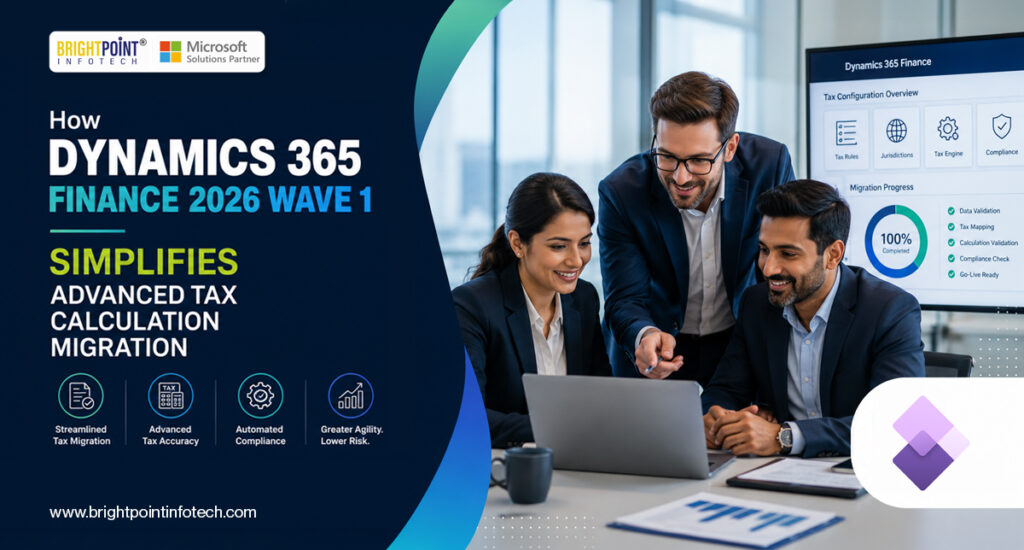
Microsoft Dynamics 365 Finance 2026 Wave 1 introduces a preview feature called “Automate Tax Feature Creation Based on Tax Master Data”, enabling organizations to migrate existing standard sales tax configurations to the Advanced Tax Calculation service automatically through the Globalization Studio workspace.
This new capability eliminates weeks of manual reconfiguration effort and significantly lowers the barrier to adopting advanced, jurisdiction-aware tax compliance. The feature is currently available as a Public Preview and is supported globally except for Brazil and India.
Why This Release Matters
For years, organizations using Dynamics 365 Finance have relied on the platform’s built-in standard sales tax engine. While effective for basic tax requirements, it can become increasingly difficult to manage as tax regulations grow more complex across multiple jurisdictions.
Microsoft’s Advanced Tax Calculation service addresses these challenges by providing:
- Multi-jurisdiction tax determination
- Configurable tax applicability rules
- Enhanced compliance capabilities
- Detailed audit visibility
- Centralized tax configuration management
The primary challenge has always been migration. Organizations often faced extensive manual configuration and validation efforts when moving to Advanced Tax Calculation. With this new feature, Microsoft removes much of that complexity by automatically reusing existing tax master data and generating the required configuration.
Key Benefits at a Glance
- 1 Click to initiate migration
- 100% Reuse of existing tax codes and tax groups where applicable
- 0 Manual Reconfiguration required for core tax setup
About the Feature: What It Is and What It Is Not
Preview Status – Important
This feature is currently available as a Public Preview as part of Dynamics 365 Finance 2026 Wave 1. Preview features are not intended for production use and may have limited functionality. Microsoft has not yet announced a General Availability (GA) date.
Organizations should thoroughly validate the feature in a non-production environment before planning any production migration.
The feature is enabled through Feature Management. Once activated, a new “Tax Data Migration (Preview)” button becomes available within the Globalization Studio > Tax Calculation workspace.
The migration process reads existing sales tax master data from the selected legal entity and automatically creates the corresponding records within the Advanced Tax Calculation framework, including tax codes, tax groups, and item tax groups.
Geographic Scope
The feature is supported globally, with two explicit exclusions:
- Brazil – Not Supported
- India – Not Supported
Organizations operating in these countries will need to continue using existing tax configuration approaches.
What Gets Migrated?
During migration, Dynamics 365 Finance automatically maps existing sales tax configurations into the Advanced Tax Calculation framework.
| Standard Sales Tax Entity | Maps To in Tax Calculation |
|---|---|
| Sales Tax Codes | Tax Codes |
| Sales Tax Groups | Tax Groups |
| Item Sales Tax Groups | Item Tax Groups |
| GL Parameters | Tax Jurisdiction Parameters |
| Tax Code Origin Rules | Tax Calculation Origin Rules |
Tax Code Variant Handling
When the same tax code is assigned to multiple tax groups with different parameters—such as Exempt, Use Tax, or Reverse Charge settings—the system automatically creates tax code variants.
For example:
- TEST10
- TEST10_1
- TEST10_2
Each variant is assigned to the appropriate tax group while maintaining the correct tax behavior.
If a tax code has already reached its maximum character limit, the system automatically truncates the code name and appends a suffix while preserving functionality.
Known Limitations
Tax Group Character Limit
If a tax group or item tax group contains tax codes whose combined character length exceeds 1,000 characters, the migration process will fail and display an error.
Organizations should review and simplify tax group structures before rerunning the migration.
Cash Discount Parameter Warning
If the Reverse Sales Tax on Cash Discount setting differs between Sales Tax Groups and General Ledger parameters, the migration process will generate a warning.
After migration, administrators must manually review and update Tax Jurisdiction Parameters to ensure accurate tax calculations.
Standard Sales Tax vs. Advanced Tax Calculation
|
Capability |
Standard Sales Tax |
Advanced Tax Calculation |
|
Multi-Jurisdiction Support |
Limited |
Comprehensive |
|
Tax Determination Logic |
Application-Based |
Configurable |
|
Regulatory Updates |
Hotfixes & Upgrades |
Configuration Updates |
|
Audit Visibility |
Standard Journals |
Detailed Calculation Logs |
|
Migration Support |
N/A |
Automated Migration Available |
How to Execute the Migration
Prerequisites
Before beginning the migration:
- Import the latest Tax Configuration through Electronic Reporting.
- Enable Automate Tax Feature Creation Based on Tax Master Data (Preview) in Feature Management.
- Ensure the correct legal entity is selected.
- Confirm your environment supports Globalization Studio.
Migration Steps
Step 1: Navigate to Globalization Studio > Tax Calculation.
Step 2: Select Tax Data Migration (Preview).
Step 3: Allow the system to analyze existing sales tax master data.
Step 4: Review the confirmation message once migration is complete.
Step 5: Use the View option to review the generated configuration.
Step 6: Configure Tax Calculation parameters and assign the generated feature version.
Step 7: Validate calculations using sample transactions, including:
- Sales Orders
- Purchase Orders
- Vendor Invoices
- General Journals
Who Should Act on This Now?
Finance Transformation Leaders
Organizations that postponed Advanced Tax Calculation adoption due to migration complexity should revisit their roadmap. Automated migration significantly reduces implementation effort and project risk.
Multi-Entity Organizations
Companies operating across multiple jurisdictions can benefit from Advanced Tax Calculation’s configurable applicability framework and centralized tax governance capabilities.
ERP Upgrade Teams
Organizations planning Dynamics 365 Finance 2026 Wave 1 upgrades should include tax migration readiness assessments as part of their upgrade planning strategy.
Brightpoint Infotech’s Perspective
At Brightpoint Infotech, we have seen firsthand how tax configuration complexity has often delayed Advanced Tax Calculation adoption. The effort required to recreate tax codes, validate applicability rules, and reconcile configurations across legal entities made migration difficult to justify for many organizations.
This new capability changes that conversation.
By leveraging existing tax master data and automating much of the setup process, Microsoft has created a more practical pathway to Advanced Tax Calculation. While organizations should continue testing thoroughly during the preview phase, the overall approach reduces implementation effort and provides a clearer route toward modern tax compliance.
We recommend that organizations include a tax migration readiness assessment as part of their Dynamics 365 Finance 2026 Wave 1 planning activities.
Conclusion
The introduction of automated tax feature creation in Dynamics 365 Finance 2026 Wave 1 represents a significant advancement in Microsoft’s tax compliance strategy. By removing much of the manual effort traditionally associated with Advanced Tax Calculation adoption, organizations can now evaluate migration opportunities with greater confidence and reduced implementation costs.
Although the feature remains in Public Preview, it provides a clear indication of Microsoft’s direction for tax management within Dynamics 365 Finance. Organizations that begin assessing their readiness today will be better positioned to take advantage of Advanced Tax Calculation capabilities when the feature becomes generally available.
For businesses managing complex tax requirements across multiple jurisdictions, this release offers an opportunity to modernize tax processes, improve compliance, and reduce operational complexity. Now is the ideal time to explore the capabilities available within Globalization Studio and begin planning for the future of tax automation in Dynamics 365 Finance.
Explore Brightpoint Infotech Solutions
Explore Our Recent Blogs & Resources
Whether you are a start-up, an SMB, or an enterprise, the Brightpoint Infotech blog is the best place to get inspired and learn more about Microsoft Business Applications.