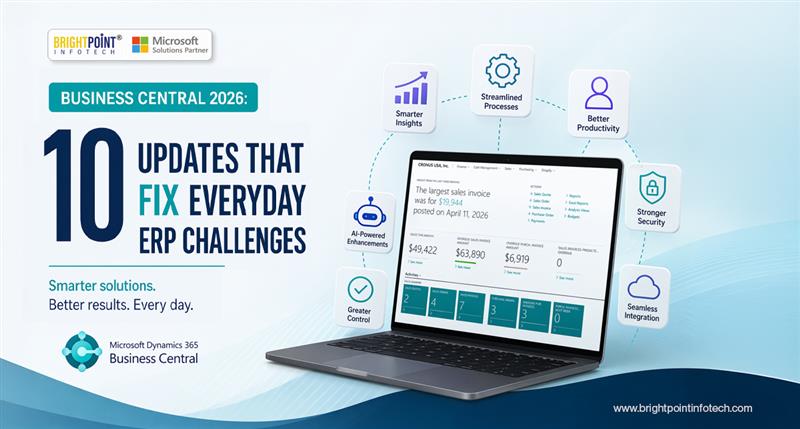
Dynamics 365 Business Central 2026 Wave 1: 10 Practical Updates That Will Redefine Daily Business Operations
Introduction
The latest release wave for Microsoft Dynamics 365 Business Central brings a set of updates that go beyond routine feature enhancements. Instead of surface-level changes, the 2026 Wave 1 release focuses on improving how businesses actually operate—across finance, purchasing, manufacturing, and reporting.
For many organizations, ERP systems often require workarounds to match real-world processes. This release takes a different approach by aligning system functionality more closely with how businesses function in practice.
In this blog, we break down the most impactful updates and what they mean for your day-to-day operations.
1. More Flexible Purchasing: Invoice Processing Without Receipt Dependency
One of the most practical updates in this release is the removal of a long-standing limitation in purchasing workflows.
Previously, finance teams had to wait for goods to be received before processing invoices. This often led to delays or forced users to create temporary entries just to move forward.
What’s improved?
Invoice lines can now be matched directly to purchase orders
Receipts can be automatically generated during invoice posting
Business impact
This change reflects real procurement scenarios where vendors request payment before delivery. It ensures financial records stay accurate without forcing operational shortcuts.
2. Manufacturing Visibility Improves with Location-Based WIP Tracking
Manufacturers operating across multiple facilities often struggle to track production costs accurately. This release introduces better control over Work-in-Progress (WIP) accounting.
What’s new?
Capacity costs now align with location-specific inventory posting setups
WIP accounts can be managed per location
Why this matters
Instead of consolidating all costs into a single account, businesses can now:
Track production efficiency per facility
Identify cost variations
Improve financial transparency
4. Structured Governance with Financial Report Lifecycle Management
As businesses grow, managing multiple financial reports becomes increasingly complex.
What’s new?
Reports can now be assigned lifecycle stages such as:
Draft
Approved
Archived
Why it’s important
This introduces better governance and avoids confusion caused by outdated or duplicate reports. Teams can confidently rely on accurate and approved financial data.
5. Enhanced Analysis Mode for Faster Data Exploration
Analysis Mode continues to evolve into a powerful built-in tool for data evaluation.
New capabilities include:
Adding meaningful descriptions to data fields
Saving customized views for repeated use
Sharing insights across teams
Exporting clean datasets directly to Excel
Business value
Users no longer need to rely heavily on external tools for analysis. This leads to faster insights and more informed decision-makin
6. Improved Integration with Microsoft Excel
Excel remains a critical tool for many finance and operations teams. This release improves how data flows between systems.
What’s improved?
Cleaner and more structured data exports
Reduced manual formatting
Better usability for reporting and analysis
Why it matters
Teams can continue working in Excel without compromising data accuracy or spending time on cleanup tasks.
7. Streamlined User Experience Across Core Functionalities
User experience improvements may seem minor individually, but collectively they make a significant difference.
Key enhancements:
Simplified navigation
Reduced clicks for common tasks
Improved interface responsiveness
Business impact
Faster onboarding for new users
Increased productivity
Reduced operational friction
8. Purchasing Workflows That Reflect Real Business Scenarios
Rigid workflows have often forced businesses to adapt their processes to the system. This release introduces more flexibility in purchasing operations.
What’s improved?
Better handling of vendor-specific requirements
Reduced dependency on sequential processes
Increased adaptability in procurement
Why it matters
Organizations can now manage purchasing activities in a way that reflects real-world conditions without compromising data integrity.
9. Stronger Multi-Entity and Multi-Department Reporting
Organizations managing multiple entities or divisions require more flexible reporting capabilities.
What’s new?
Consolidated reporting across entities
Better use of dimensions for segmentation
Improved financial visibility
Business benefit
Leaders gain a clearer view of performance across the entire organization, enabling better strategic planning.
10. Incremental Enhancements That Improve Daily Efficiency
Beyond major updates, this release includes several smaller improvements that enhance everyday usability.
These include:
Reduced manual data entry
Better data consistency
Improved system responsiveness
Why it matters
Small changes can have a big impact when applied across daily operations, leading to noticeable efficiency gains over time.
Instead of requiring businesses to adjust their workflows, the system now adapts to real operational needs. This shift reduces inefficiencies and improves alignment between financial processes and actual business activities.
Explore Brightpoint Infotech Solutions
Explore Our Recent Blogs & Resources Whether you are a start-up, an SMB, or an enterprise, the Brightpoint Infotech blog is the best place to get inspired and learn more about Microsoft Business Applications.