

|
Getting your Trinity Audio player ready...
|
How Microsoft Dynamics 365 Business Central Helps Manufacturers Reduce Waste and Improve Production Efficiency in 2026
Introduction
Manufacturing waste rarely comes from one obvious problem.
A manufacturer may be losing material through production scrap, carrying too much inventory because demand was miscalculated, running machines below capacity, or producing more units than customers actually need. Each issue may look small on its own. Together, they can quietly reduce margins.
Consider a manufacturer producing 10,000 units every month. If its actual scrap rate is only a few percentage points higher than expected, the business could be consuming significantly more material than planned. Add excess inventory, rework, production delays, and inefficient machine utilization, and the cost of waste becomes much larger than the scrap bin on the factory floor suggests.
The bigger challenge is finding out where the waste is happening and why.
When production, inventory, purchasing, and financial information sits across spreadsheets or disconnected systems, manufacturers often have to investigate problems after the money has already been spent.
Microsoft Dynamics 365 Business Central brings manufacturing, inventory, purchasing, sales, and financial information together, giving manufacturers a connected environment for planning production, managing materials, recording consumption and scrap, and analyzing manufacturing performance. Business Central also provides manufacturing analytics and Power BI capabilities for examining production scrap, capacity, utilization, and other manufacturing KPIs.
But there is an important distinction:
Business Central does not magically eliminate manufacturing waste. It gives manufacturers the planning controls, production data, and visibility needed to measure waste, identify variances, investigate problems, and improve the process.
That difference is at the heart of effective waste reduction.
“Can Business Central reduce manufacturing waste?”
Quick Answer:
Microsoft Dynamics 365 Business Central can help manufacturers reduce waste by improving material planning, inventory control, production scheduling, BOM and routing management, scrap tracking, consumption recording, and manufacturing analytics. It doesn’t automatically eliminate waste, but it gives manufacturers the data and controls needed to identify production variances, investigate waste, and continuously improve their processes.
What Is Manufacturing Waste?
Manufacturing waste is anything that consumes materials, time, labor, capacity, inventory, or money without creating proportional value for the customer.
It can appear in several forms:
- Material waste: Raw materials that are damaged, incorrectly consumed, or discarded during production.
- Production scrap: Units or materials that fail to meet requirements and cannot be used as planned.
- Rework: Additional labor and machine time required to correct products.
- Overproduction: Manufacturing more products than current demand requires.
- Excess inventory: Holding more raw materials, work-in-progress, or finished goods than necessary.
- Waiting and downtime: People, machines, or production lines waiting for materials, information, maintenance, or approvals.
- Inefficient production: Processes that consume more labor, machine time, or material than expected.
- Excess transportation and movement: Unnecessary movement of materials between locations or production areas.
- Overprocessing: Performing steps that do not add meaningful value to the final product.
The important point is that waste is not only what gets thrown away.
A production line that repeatedly takes longer than planned is creating waste. So is purchasing material that remains unused for months. So is producing 5,000 units when current demand only requires 3,500.
That is why manufacturers need to look at waste across the entire production lifecycle.

How Does Business Central Help Manufacturers Reduce Waste?
Business Central approaches waste reduction through several connected manufacturing processes rather than through one standalone “waste reduction” feature.
The overall process can be viewed as:
Plan → Produce → Capture → Compare → Analyze → Improve
Let’s look at each stage.
1. Improve Material Planning with MRP
One of the easiest ways to create waste is to purchase or produce more than the business actually needs.
Business Central supports both Master Production Scheduling (MPS) and Material Requirements Planning (MRP). MPS focuses on end-item demand, while MRP calculates component requirements based on demand and forecasts. The planning system compares demand with existing and expected supply and generates action messages for potential changes to purchasing, production, or transfer orders.
This helps manufacturers move away from questions such as:
“How much material should we order?”
toward:
“What material do we actually need, how much do we need, and when do we need it?”
That distinction can make a significant difference to inventory levels and purchasing efficiency.
Why this matters for waste
Better planning can help manufacturers:
- Reduce unnecessary purchasing
- Avoid producing ahead of demand
- Reduce excess inventory
- Improve material availability
- Reduce production interruptions caused by shortages
MRP doesn’t remove the need for good planning parameters. Forecasts, lead times, inventory policies, BOMs, routings, and other configuration choices still matter.
But it provides a structured way to turn demand and supply information into a production and purchasing plan.
2. Control Material Usage with Production BOMs
A Production Bill of Materials defines the components required to manufacture a product.
This creates an important baseline:
What should we consume to produce the product?
Once that baseline exists, manufacturers can compare expected material usage with actual consumption.
For example, suppose a product is expected to require 2 kg of material per unit.
If production consistently consumes 2.3 kg, the difference deserves investigation.
Is the BOM inaccurate?
Is there excessive scrap?
Is the production process consuming more material than expected?
Is the issue isolated to a particular machine or production order?
Without a defined production baseline, these questions are much harder to answer.
3. Use Scrap Factors to Plan for Expected Production Loss
Not all scrap is unexpected.
Some manufacturing processes naturally create a predictable amount of loss.
Business Central supports scrap settings within manufacturing, including scrap associated with production BOMs and routing operations.
Routing scrap can be represented through a percentage or a fixed quantity, and these settings affect both scheduling and costing. Microsoft also distinguishes routing scrap from BOM scrap: BOM scrap increases the component quantity required, while routing scrap increases the quantity that needs to pass through an operation.
This distinction matters because different types of waste require different responses.
For example:
BOM scrap
“We need additional raw material because some material will be lost.”
Routing scrap
“We need to process additional quantity through this operation because some output is expected to be lost.”
When these assumptions are accurately configured, manufacturers can create more realistic material and production plans.
4. Track Actual Material Consumption
Planning tells you what should happen.
Production data tells you what actually happened.
Business Central allows manufacturers to record production consumption, output, scrap, and operation time through production journals. Some postings can also be automated using flushing methods.
This creates an important comparison:
Expected consumption vs. actual consumption
Imagine a production order expects 1,050 kg of material but actual consumption reaches 1,120 kg.
That 70 kg difference is not automatically proof of a problem.
But it is a signal.
Management can investigate whether the variance came from:
- Higher-than-expected scrap
- Incorrect BOM quantities
- Material quality
- Machine settings
- Operator/process variation
- Production errors
- Incorrect data entry
This is where ERP data becomes useful for continuous improvement.
5. Automate Consumption Recording Where Appropriate
Manual production data entry can consume time and introduce errors.
Business Central supports different flushing methods that determine when component consumption is recorded. Depending on the manufacturing process, consumption can be recorded based on production activity rather than requiring every transaction to be manually entered.
This can reduce administrative effort and improve the consistency of production reporting.
However, automation needs to match the actual production process.
If consumption is configured incorrectly, automated posting can make inaccurate assumptions at scale.
So the objective should not be:
“Automate everything.”
It should be:
“Automate the right production transactions using accurate manufacturing rules.”
That is an important consideration during Business Central implementation.
6. Identify Production Scrap and Variances
This is where the waste-reduction process becomes much more measurable.
Business Central’s manufacturing analytics include information related to production scrap, utilization, capacity, production time, and work center load. Microsoft also provides a Production Scrap Power BI report that can analyze scrap percentage and quantity by production order, source item, work center, and machine center.
That changes the management conversation.
Instead of:
“We seem to be generating more scrap.”
You can ask:
“Which production orders are producing the most scrap?”
“Which work center has the highest scrap percentage?”
“Is the problem getting worse over time?”
“Is the actual scrap significantly higher than expected?”
“What scrap reason is occurring most frequently?”
Those are much more actionable questions.
A Practical Example: Finding the Source of Manufacturing Waste
Imagine a manufacturer produces 10,000 components per month.
The production team expects a 3% scrap rate.
That means approximately 300 units of scrap are expected.
But after several months, the company discovers that actual scrap is closer to 6%.
That’s approximately 600 units.
The business isn’t simply dealing with “some extra scrap.”
It has an unexplained difference of roughly 300 additional units per month.
Now consider what happens when the manufacturer has production analytics available.
The team discovers:
- Machine Center A has a significantly higher scrap rate than other machines.
- One production order generated unusually high scrap.
- Scrap increased after a particular material batch was introduced.
- One operation consistently exceeds its expected scrap percentage.
The ERP hasn’t automatically fixed the machine or identified the root cause.
Instead, it has done something equally important:
It has made the problem visible and measurable.
The production team can now investigate the machine, material, process, or routing rather than relying on assumptions.
Microsoft’s Production Scrap Power BI report is specifically designed to help analyze scrap quantity and percentages across production orders, work centers, and machine centers and to examine scrap reasons and trends.
That creates a practical continuous-improvement loop:
Expected → Actual → Variance → Investigation → Corrective Action → New Baseline
7. Reduce Excess Inventory Through Better Supply Planning
Manufacturers often think of inventory as protection.
But inventory can also become waste.
Raw materials can become obsolete. Components can remain unused. Finished goods can occupy warehouse space and tie up cash.
Business Central’s planning functionality considers demand and supply when calculating replenishment requirements. It can also support planning across locations through stockkeeping units and location transfers.
This gives manufacturers better visibility into:
- Current inventory
- Expected demand
- Open supply
- Production requirements
- Purchase requirements
- Location-specific needs
The objective is not simply to reduce inventory.
It is to reduce unnecessary inventory while maintaining the availability required to keep production running.
That is a much healthier approach to inventory optimization.
8. Improve Production Efficiency with Work and Machine Center Data
Waste isn’t always material.
Sometimes the biggest waste is time.
If a work center consistently takes longer than expected, the additional capacity consumed can increase production costs and affect delivery schedules.
Business Central provides manufacturing analytics covering areas such as capacity, utilization, work center load, production time, and production scrap. Its manufacturing analytics also include measures for consumption variance, capacity variance, average production times, and work/machine center statistics.
This helps manufacturers ask questions such as:
- Which work centers are underperforming?
- Where are capacity constraints occurring?
- Which operations take longer than expected?
- Where is production time increasing?
- Which machine centers generate the most scrap?
These insights can support decisions around scheduling, maintenance, process improvement, and resource allocation.
9. Connect Manufacturing Data with Power BI
ERP data becomes significantly more valuable when managers can see the trends behind it.
Business Central provides manufacturing analytics through Power BI and other reporting capabilities. Microsoft documents production scrap analysis, production order performance, capacity variance, production times, and work/machine center statistics as part of its manufacturing analytics capabilities.
For waste reduction, a manufacturer could monitor KPIs such as:
- Scrap percentage
- Scrap quantity
- Expected vs. actual scrap
- Material consumption variance
- Production order variance
- Work center scrap
- Machine center scrap
- Production time
- Capacity utilization
- Finished quantity vs. planned quantity
The value isn’t in creating a dashboard simply because dashboards look impressive.
The value is in turning manufacturing data into a decision.
For example:
Dashboard: Machine Center A has 7.5% scrap.
Decision: Investigate machine calibration, tooling, material quality, or operating parameters.
Action: Correct the underlying process.
Measurement: Compare the new scrap rate against the previous baseline.
That’s how analytics contributes to waste reduction.
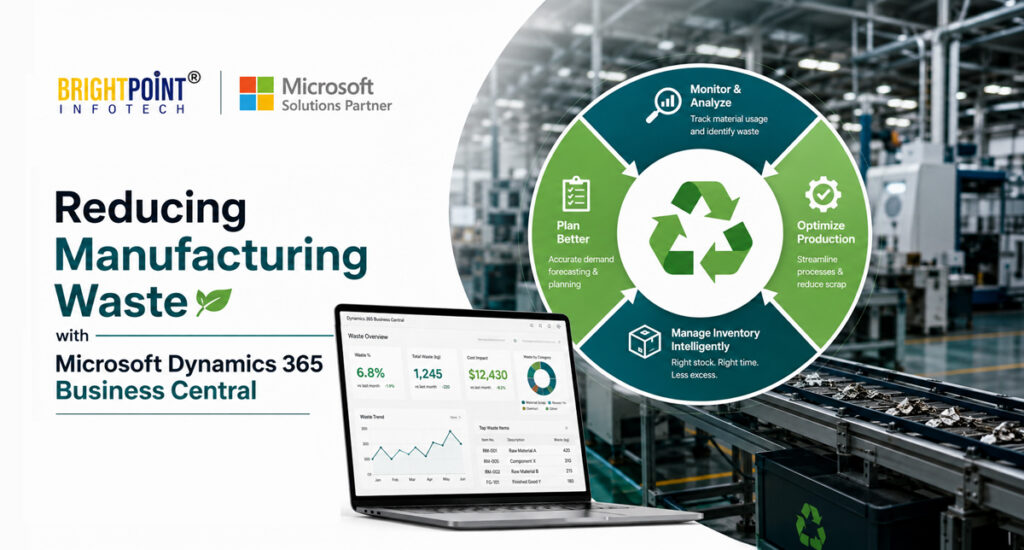
The Business Central Waste-Reduction Cycle
A useful way to think about the entire process is:
1. Plan
Use demand, inventory, BOMs, routings, and MRP to establish what should happen.
2. Produce
Execute production orders using defined materials, operations, work centers, and machine centers.
3. Capture
Record consumption, output, scrap, and production time.
4. Compare
Measure actual results against expected quantities, costs, and production performance.
5. Analyze
Use Business Central analytics and Power BI to identify trends, variances, and problem areas.
6. Improve
Investigate the root cause, adjust the process, and establish a better production baseline.
Plan → Produce → Capture → Compare → Analyze → Improve
This is more realistic than treating ERP as an automatic waste-elimination tool.
What Manufacturing KPIs Should You Monitor?
Manufacturers should select KPIs based on their processes, but several measures can provide a useful starting point.
Scrap Percentage
How much scrap is generated relative to production output?
Scrap Quantity
How many units or how much material is being lost?
Expected vs. Actual Scrap
Is actual scrap staying within the expected production assumptions?
Material Consumption Variance
Are production orders consuming more or less material than expected?
Production Time
How much time is actually required to produce the finished quantity?
Capacity Variance
Are work centers or machine centers using more capacity than planned?
Planned vs. Finished Quantity
Is production completing according to plan?
Inventory Turnover
How efficiently is inventory being converted into production or sales?
Production Cost Variance
Are actual manufacturing costs moving away from expected or standard costs?
The most useful KPI is not necessarily the one with the biggest number.
It is the one that helps the manufacturing team take action.
Business Central Can Help Manufacturers Reduce Waste—But Configuration Matters
One of the most overlooked aspects of manufacturing ERP implementation is the quality of the underlying production data.
A manufacturer can have excellent ERP software and still struggle with waste if:
- Production BOMs are inaccurate
- Routings don’t reflect the real production process
- Scrap assumptions are outdated
- Inventory parameters aren’t maintained
- Work center capacities are incorrect
- Production consumption isn’t recorded consistently
- Operators aren’t capturing unexpected scrap
- Reporting isn’t connected to operational decisions
In other words:
Better software does not automatically create better manufacturing data.
The ERP needs to reflect the actual manufacturing environment.
That is why implementation should go beyond installing Business Central and configuring standard screens.
Manufacturers should review their production processes, BOMs, routings, planning parameters, consumption methods, inventory policies, and reporting requirements as part of the implementation.
What Are the Benefits of Reducing Manufacturing Waste with Business Central?
When Business Central is properly configured and integrated into manufacturing processes, manufacturers can work toward several operational improvements:
- Better visibility into production performance
- More accurate material planning
- Lower excess inventory
- Improved production scheduling
- Better control over material consumption
- Greater visibility into scrap and variances
- Improved work and machine center analysis
- Better manufacturing cost visibility
- More informed continuous-improvement decisions
- Stronger use of production data across departments
The exact financial impact will depend on the manufacturer’s processes, data quality, production environment, and implementation.
But the principle is straightforward:
When manufacturers can measure waste accurately, they can manage it more effectively.
Frequently Asked Questions
Can Microsoft Dynamics 365 Business Central reduce manufacturing waste?
Yes. Business Central provides manufacturing planning, production tracking, inventory management, scrap recording, and analytics capabilities that can help manufacturers identify and reduce operational waste. It does not automatically eliminate waste; manufacturers need accurate configuration, production data, and corrective processes.
Can Business Central track manufacturing scrap?
Yes. Manufacturers can record production scrap, and Business Central provides manufacturing analytics and a Production Scrap Power BI report for analyzing scrap quantity and percentages across production orders, work centers, and machine centers.
Can Business Central track expected versus actual production performance?
Yes. Business Central’s manufacturing analytics include production-order and variance information that can help manufacturers compare planned and actual production performance.
How does MRP help reduce manufacturing waste?
MRP calculates material requirements based on demand and supply information and can generate planning suggestions. This can help manufacturers avoid unnecessary purchasing and production while ensuring required materials are available when needed.
Can Business Central track material consumption?
Yes. Business Central supports recording material consumption through production journals and can automate certain consumption postings using flushing methods.
What is the difference between BOM scrap and routing scrap?
BOM scrap increases the quantity of a component required, while routing scrap increases the quantity that needs to be processed through a particular operation. Both can influence production planning, and routing scrap also affects scheduling and costing.
Can Power BI help manufacturers analyze production waste?
Yes. Business Central provides Power BI manufacturing analytics, including production scrap, capacity variance, production time, and work/machine center performance.
Is Business Central suitable for manufacturers?
Business Central includes manufacturing functionality for production planning, production orders, BOMs, routings, work centers, machine centers, consumption, output, scrap, and manufacturing analytics. Whether it is the right fit depends on the complexity and requirements of the individual manufacturer.
Turn Manufacturing Waste Into Measurable Improvement
Manufacturing waste is rarely solved by one new machine, one spreadsheet, or one software feature.
The first step is visibility.
Manufacturers need to understand how much material they plan to consume, how much they actually consume, where scrap occurs, which production orders create the largest variances, and which work or machine centers are affecting production performance.
Microsoft Dynamics 365 Business Central can provide the connected manufacturing, inventory, planning, production, and analytics capabilities needed to build that visibility.
But the real value comes when manufacturers turn that information into action:
- Measure the waste.
- Find the variance.
- Investigate the cause.
- Improve the process.
- Measure again.
That is how manufacturing data can become a tool for improving efficiency, controlling costs, and protecting margins.
Ready to Improve Manufacturing Efficiency with Business Central?
If your manufacturing business is struggling with excess inventory, production scrap, inaccurate material planning, production variances, or limited visibility into manufacturing performance, the right ERP configuration can make a significant difference.
Brightpoint Infotech can help you evaluate your manufacturing processes and determine how Microsoft Dynamics 365 Business Central can support better planning, production control, inventory management, and manufacturing analytics.
Talk to our Business Central manufacturing experts to explore your requirements and identify opportunities to improve production efficiency and reduce operational waste.