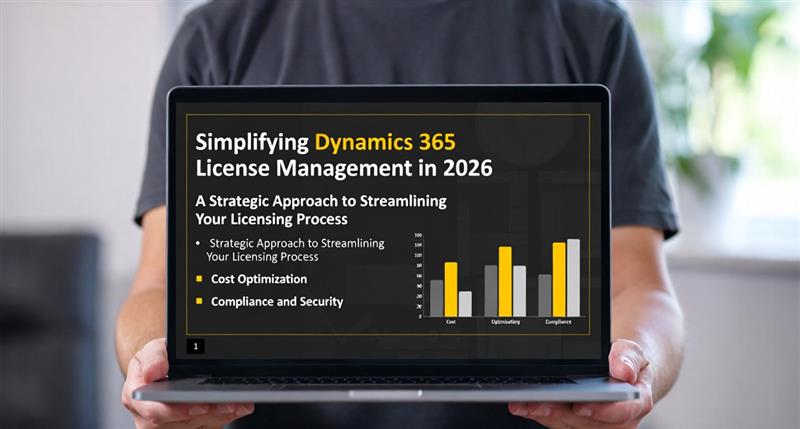
Simplifying Dynamics 365 License Management in 2026: A Complete Guide for IT Leaders
Introduction
Efficient license management is essential for organizations using Dynamics 365 Finance and Operations (F&O), Business Central (BC), CRM, and Microsoft 365 applications. Beyond compliance, proper license management impacts operational continuity, cost efficiency, and governance. Microsoft recognized these challenges and introduced several updates to make license management more transparent, easier to track, and more efficient.
This guide provides IT leaders with a comprehensive overview of Microsoft’s 2025–2026 updates, actionable best practices, and guidance to optimize license assignments — including a limited-time discount offer on Microsoft licenses.
Why License Management Matters in 2026
Managing licenses isn’t just an administrative task — it directly affects business performance. Organizations that neglect proper license management may face:
Over-spending: Unused or misassigned licenses lead to unnecessary costs.
Governance risks: Improper license assignments can allow unauthorized access to sensitive business data.
With Microsoft’s recent updates, IT teams now have better visibility and tools to ensure compliance, assign licenses efficiently, and optimize costs.
Enhanced License Reporting
Microsoft delivered improved license reporting on April 30, 2025, through the Power Platform Admin Center. These reports give admins detailed insights into:
Which users have licenses assigned
How licenses map to security roles
Underutilized or unassigned licenses
Enhanced reporting allows organizations to plan purchases accurately, reduce wasted licenses, and track license usage across multiple Dynamics 365 environments.
Visual placeholder: Screenshot of license usage report dashboard.
Staged License Validation
A key update in 2026 is the staged license validation process. Instead of enforcing license compliance on a single global date, Microsoft now aligns validation with each customer’s contract renewal or anniversary date, starting January 15, 2026.
Benefits of Staged Validation
Proactive engagement: IT teams can review assignments before validation occurs.
Reduced operational impact: Users remain productive, and access disruptions are minimized.
Improved transparency: Admins know exactly when validation will occur for their tenant.
This staged rollout is designed to help organizations plan ahead and maintain operational continuity during license enforcement.
Users without assigned licenses will be blocked from accessing Finance and Operations applications.
A prompt will appear in the application directing the user to contact their administrator.
Admins must ensure all users have proper licenses assigned to avoid workflow disruptions.
This automated approach helps maintain compliance while giving organizations time to address missing licenses proactively.
Steps to Prepare for License Validation
Microsoft recommends a four-step approach for administrators:
Understand licensing requirements Map security roles to required license types to ensure all users have correct entitlements.
Review role-to-license assignments Use the Power Platform Admin Center or Dynamics Lifecycle Services to check existing mappings and identify gaps.
Optimize licenses Remove unnecessary or redundant licenses using the License Usage Summary report to reduce costs.
Assign licenses appropriately Ensure all users are correctly licensed in the Microsoft 365 Admin Center according to their assigned roles.
Following these steps ensures organizations remain compliant, minimize operational risks, and take advantage of available license optimization tools.
Best Practices for IT Teams in 2026
To fully leverage these updates, IT teams should adopt the following practices:
Regular audits: Periodically review all license assignments to ensure alignment with user roles.
Track renewal and validation dates: Prepare in advance for staged validation events.
Educate users: Communicate about automatic prompts and the process to request access.
Automate wherever possible: Use Microsoft 365 Admin Center and Power Platform tools to streamline license management.
Leverage analytics: Monitor license consumption and trends to make informed decisions.
Limited-Time License Discount Offer!
To help organizations optimize their Microsoft investments in 2026, Brightpoint Infotech is offering a short-term license discount, applicable to new customers only or partners who wish to avail these discounts for their customers:
This offer is available for a limited period, providing a great opportunity to optimize costs, ensure compliance, and strengthen your Dynamics 365 environment.
Note: This offer is applicable to new customers and partners supporting their customers. Terms and timelines apply.
Benefits of Microsoft’s License Management Enhancements
By adopting these updates and best practices, organizations can enjoy:
Operational continuity: Users remain productive without sudden access disruptions.
Cost efficiency: Reduce unnecessary license spending by reallocating unused licenses.
Stronger governance: Complete visibility into license assignments and compliance.
Proactive planning: IT teams can prepare in advance for validation events and renewal cycles.
Combined with the limited-time discount, this creates a strategic opportunity to strengthen the license management process while controlling costs.
Looking Ahead
In 2026, successful organizations will be those that adopt a proactive, transparent, and data-driven approach to license management. By implementing the staged validation process, leveraging enhanced reporting, and following best practices, IT teams can maintain compliance, reduce costs, and improve operational efficiency.
BrightPoint Infotech’s limited-time offer ensures organizations can upgrade or optimize their licenses while benefiting from Microsoft’s new tools and processes — a win-win for efficiency, cost, and compliance.
Conclusion
Microsoft’s updates to Dynamics 365 license management in 2026 deliver greater transparency, control, and efficiency. By understanding staged validation, leveraging enhanced reporting, and following Microsoft’s recommended steps, organizations can maintain operational continuity, optimize costs, and ensure compliance.
Take advantage of Brightpoint Infotech’s short-term license discounts to secure the right licenses for your team, streamline operations, and maximize your Dynamics 365 investment.
Explore Brightpoint Infotech Solutions
Explore Our Recent Blogs & Resources Whether you are a start-up, an SMB, or an enterprise, the Brightpoint Infotech blog is the best place to get inspired and learn more about Microsoft Business Applications.